- Key Takeaways
- Why People Search "Is Rocket Money Safe?"
- What Is Rocket Money?
- Main Things To Know About Rocket Money:
- Who Actually Uses Rocket Money? (The Real User Groups)
- 1. The Subscription Hoarder
- 2. The First-Time Independent Earner
- 3. The Busy Freelancer / Remote Worker
- A Comparative Analysis With Other Budgeting Platforms
- Structural Comparison Of Modern Budgeting Ecosystems
- Rocket Money Pricing: The Premium Tier Explained
- The Free Tier
- The Premium Tier (Pay-What-You-Want)
- What Extra Can You Do With Rocket Money?
- How Rocket Money Actually Works Behind the Scenes
- Table 1: Rocket Money's Operational Architecture
- What Big Financial Sites Fail To Mention About Rocket Money
- 1. The Geographic System Mismatch
- 2. The Auto-Negotiation Trap
- What Beginners Misunderstand About Budgeting Apps
- A Real-Life Scenario: The Story of Rohan's First Salary
- The FinanceTeam Decision Framework: Should You Use It?
- Direct Verdict For Beginners
- The 4-Step Safety Guardrail Protocol
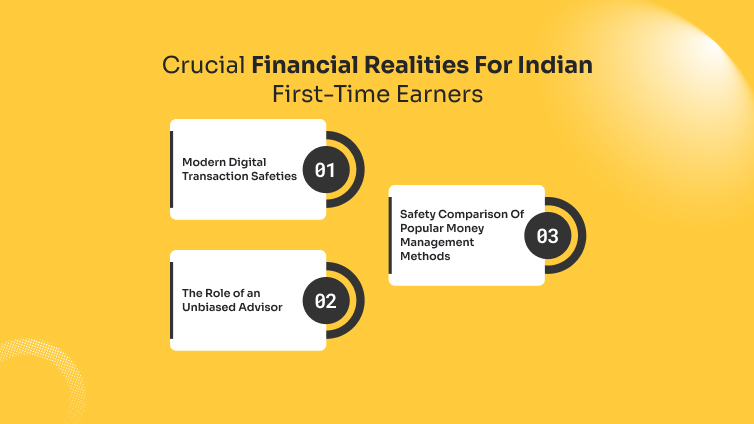
- Crucial Financial Realities For Indian First-Time Earners
- Modern Digital Transaction Safeties
- The Role of an Unbiased Advisor
- Safety Comparison Of Popular Money Management Methods
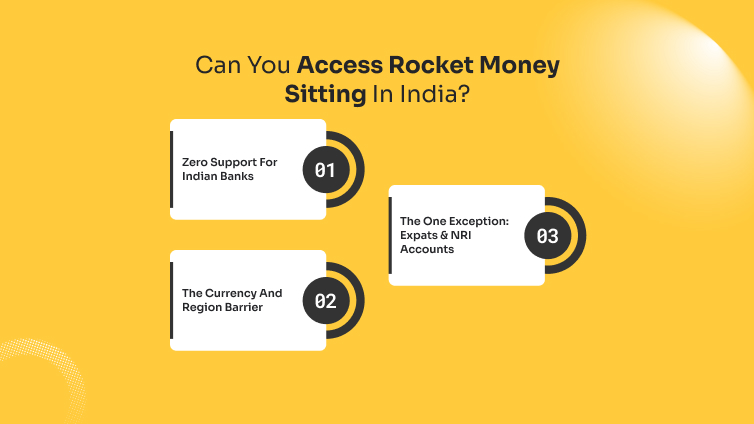
- Can You Access Rocket Money Sitting In India?
- 1. Zero Support For Indian Banks
- 2. The Currency And Region Barrier
- 3. The One Exception: Expats & NRI Accounts
- Verdict & Smarter Alternatives
- Frequently Asked Questions
Is Rocket Money Safe? The Critical Security Realities Big Sites Won’t Tell Indian Beginners

Rocket Money is a personal finance app that tracks subscriptions, monitors spending, and negotiates bills. But there’s one question that bugs me and internet fails to give me a comprehensive answer: is rocket money safe?
It involves linking your bank accounts to automate expense management. It offers effortless savings and automated tracking but comes with the risk of exposing your sensitive financial login credentials to third-party aggregators.
Key Takeaways
- Bank-Grade Infrastructure: Rocket Money uses Plaid with 256-bit encryption to read data without storing your banking passwords.
- The “Read-Only” Shield: The app cannot move, transfer, or withdraw your money manually.
- Geographic Reality: Rocket Money is engineered for the US banking ecosystem; Indian beginners face unique operational blocks.
- Beginner Focus: Automated tools do not replace manual financial literacy or personal vigilance.
Why People Search “Is Rocket Money Safe?”

When you earn your first salary or start investing, every rupee feels precious. You look for tools to automate your budget.
But the moment an app asks for your bank password, panic sets in. Beginners search this query because they want to know a simple truth: If I give this app access, can someone drain my bank account tomorrow?
Most massive financial portals answer this with a generic list of technical compliance terms. They say, “It has 256-bit encryption.”
But what does that mean to a nineteen-year-old in Mumbai trying to save their first ₹5,000? He would still question: is rocket money safe? Let’s break down how this technology actually behaves in real-world scenarios.
What Is Rocket Money?
Rocket Money is a centralized personal finance application designed to simplify the way users track, manage, and optimize their daily finances.
Instead of forcing you to log in to multiple banking portals or update manual spreadsheets, the app links directly to your accounts via secure, read-only data connections.
Its primary objective is to bring absolute visibility to your cash flow, helping you understand exactly where your hard-earned money goes each month.
The platform is especially well-known for its practical, problem-solving features that go beyond basic expense tracking. It actively hunts down hidden leaks in your budget and automates tedious financial chores.
Main Things To Know About Rocket Money:
- Subscription Management: It automatically identifies recurring charges and can cancel unwanted subscriptions on your behalf.
- Bill Negotiation: The app contacts service providers to negotiate lower rates on bills like internet or mobile plans.
- Smart Automated Savings: It analyzes your spending habits to safely deposit small, unnoticeable amounts into a dedicated savings vault.
- Credit Monitoring: Provides real-time tracking of your credit score and alerts you to impactful changes.
- Read-Only Security: Uses secure bank-grade tokenization, meaning it cannot transfer, withdraw, or touch your actual money.
Who Actually Uses Rocket Money? (The Real User Groups)
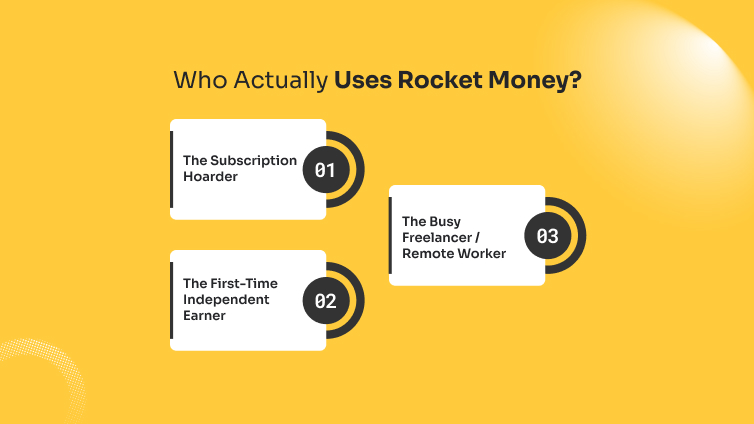
While marketing campaigns portray automated budgeting apps as tools for everyone, the actual user base is divided into distinct behavioral groups. Understanding who uses it helps you see if your financial habits align with the platform’s strengths.
1. The Subscription Hoarder
This user signs up for multiple streaming services, premium gym apps, cloud storage expansions, and delivery passes over several years.
They suffer from “micro-bleeding”, where small, unnoticed monthly charges quietly drain their account. They use Rocket Money specifically to hunt down forgotten trials and recurring bills.
2. The First-Time Independent Earner
Often fresh out of college, these users are managing a salary that doesn’t stretch across all their wants.
They use the app because manual spreadsheets feel overwhelming or boring. They need a visual dashboard that shows how much money is safely left to spend after fixed costs are accounted for.
3. The Busy Freelancer / Remote Worker
Individuals handling multiple client payouts or managing foreign-currency accounts use tracking platforms to consolidate their income streams.
They look to automation to avoid spending hours every weekend calculating operational cash flows across different cards.
A Comparative Analysis With Other Budgeting Platforms
To evaluate if an application fits your workflow, you must look at how it stack up against its core alternatives. The choice usually boils down to automation versus manual control.
Structural Comparison Of Modern Budgeting Ecosystems
| Feature | Rocket Money | YNAB (You Need A Budget) | YNAB (You Need A Budget) | Pure Spreadsheet (Excel/Sheets) |
|---|---|---|---|---|
| Core Philosophy | Track past spending & cut bills | Give every single rupee a job | Show spendable “In My Pocket” cash | Absolute data privacy & manual input |
| Data Connection | Automated via Plaid | Automated or manual sync | Automated via Finicity/Plaid | 100% Manual (No account links) |
| Best Suited For | Trimming unwanted subscriptions | Intentional, zero-based budgeting | Preventing daily overspending | Absolute privacy purists |
| Geographic Focus | United States / Canada | Global (with manual entry support) | United States / Canada | Universal (Works globally) |
Rocket Money Pricing: The Premium Tier Explained
Rocket Money operates on a hybrid “Freemium” model with a unique sliding-scale pricing mechanism for its premium features.
The Free Tier
Out of the box, the free version allows you to link your bank accounts manually or via Plaid (if supported), view your basic balance, track a limited number of recurring bills, and set up basic spending alerts.
The Premium Tier (Pay-What-You-Want)
To access advanced features such as automated subscription cancellation, real-time balance syncing, premium chat support, and custom budgeting categories, Rocket Money asks you to choose your price plan. The premium subscription ranges from roughly $3 to $10 per month (or is billed annually).
| The Beginner Reality Check: If you choose a premium tier to find and cancel a $ 5-a-month subscription, but you end up paying $5 a month for Rocket Money itself, you haven’t saved any money. Always calculate if the app’s cost outweighs the leaked expenses it uncovers. |
What Extra Can You Do With Rocket Money?
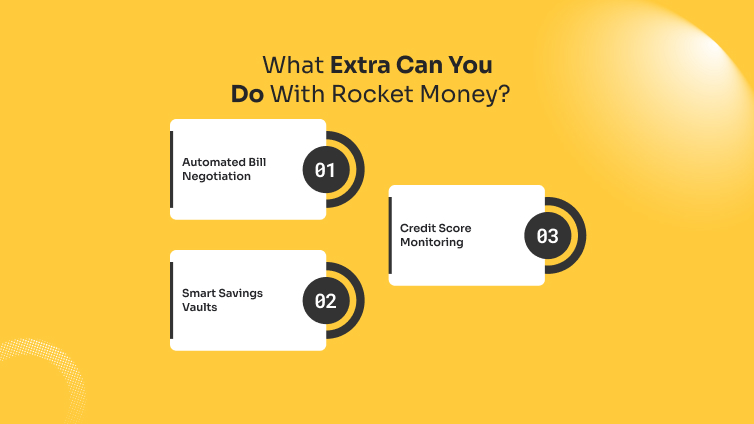
Beyond basic spending charts, the application includes a few specific secondary tools designed to speed up account management.
- Automated Bill Negotiation: You can upload a photo of an active bill (like internet or mobile). Rocket Money’s team or automated systems contact the provider to negotiate a lower monthly rate on your behalf, keeping a percentage of the annual savings as a fee.
- Smart Savings Vaults: The app analyzes your checking account activity and automatically transfers small, unnoticeable amounts into an FDIC-insured savings vault to build a small emergency fund.
- Credit Score Monitoring: It pulls data to track your credit profile and sends alerts if a sudden drop or an unexpected hard inquiry on your record appears.
How Rocket Money Actually Works Behind the Scenes
Rocket Money acts as a financial dashboard. To show your data, it uses an intermediary system called Plaid. Think of Plaid as a secure digital courier.
| [Your Bank Account] ↔ [Plaid (Secure Courier)] ↔ [Rocket Money Dashboard] |
When you enter your details, you do not give your password to Rocket Money. You give it to Plaid, which creates a secure, encrypted token. Rocket Money reads this token to display your balance and transaction history.
Table 1: Rocket Money’s Operational Architecture
| Feature | What Rocket Money Sees | What Rocket Money CANNOT Do |
|---|---|---|
| Transaction History | List of grocery bills, subscriptions, salary credits | Edit, delete, or hide individual transaction entries |
| Account Balances | Current savings, credit card balances, loan outstanding | Initiate a transfer, change account pins, or withdraw funds |
| Bill Details | Due dates, recurring plan costs, provider names | Cancel services without your manual authorization |
What Big Financial Sites Fail To Mention About Rocket Money

If you read reviews on major US financial portals, they praise Rocket Money as an flawless savior. However, those reviews completely ignore the structural realities for users outside the US, particularly in India.
1. The Geographic System Mismatch
Rocket Money relies heavily on the US banking infrastructure (Plaid’s US network). If you try to connect to an Indian bank account, such as SBI, HDFC, or ICICI, the synchronization will fail or require tedious manual tracking.
India uses the Account Aggregator (AA) framework, regulated by the RBI, a protocol that is completely separate from Plaid’s core system.
2. The Auto-Negotiation Trap
A major selling point of the app is its ability to automatically negotiate bills down.
In India, telecom providers (Jio, Airtel) and utility boards operate under fixed-tariff structures or regulated plans. An automated bot cannot call a state electricity board to negotiate your monthly bill.
What Beginners Misunderstand About Budgeting Apps
- Myth 1: “Encryption means 100% safety.”
The Reality: Encryption protects data during transit. It does not protect you if you fall for a phishing scam or use a weak password for your email account linked to the app. Security is a chain; the app is only one link.
- Myth 2: “The app will automatically fix my bad spending habits.”
The Reality: Rocket Money points out where your money went. It does not stop you from clicking “Buy Now” on an impulse purchase. Automation without behavioral change leads to expensive app subscriptions and zero actual savings.
A Real-Life Scenario: The Story of Rohan’s First Salary
Let’s look at a practical situation. Rohan, my younger brother, a 22-year-old software trainee in Bengaluru, wanted to manage his first paycheck.
He subscribed to multiple streaming services, gym memberships, and food delivery apps. Within three months, he found himself looking into an instant loan without documents just to clear his credit card debt before the month ended.
Desperate to track his leaks, he tried using automated budgeting tools.
He linked his primary account. The tool highlighted that he was paying for two parallel music streaming apps he had forgotten about. By visualizing the data, he cut those costs immediately.
However, Rohan made a critical error: he assumed the app would manage his deadlines. Because of a sync delay between his regional bank and the tracking platform, a credit card payment date skipped his notice, forcing him to consider a structured debt consolidation loan to fix his plummeting credit score.
The Lesson: Tracking apps are mirrors, not managers. If you do not look in the mirror regularly, the reflection won’t change your appearance.
The FinanceTeam Decision Framework: Should You Use It?
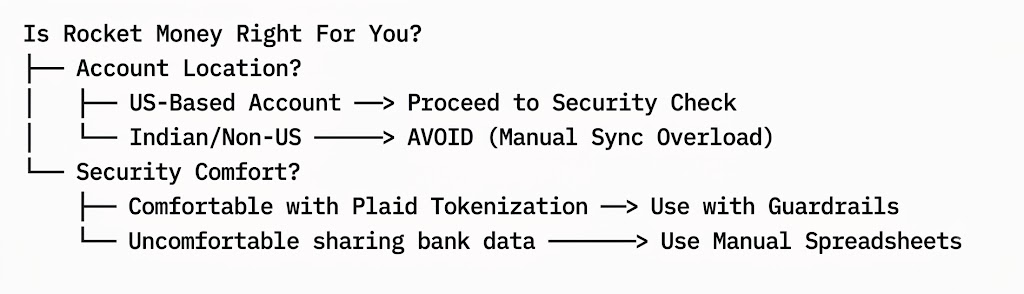
Is Rocket Money Right For You?
Direct Verdict For Beginners
If your primary capital resides in Indian bank accounts, do not use Rocket Money. The manual entry requirement defeats the purpose of its automation. Instead, opt for local alternatives built natively on the RBI Account Aggregator framework or stick to a secure, customized Excel sheet.
If you possess a US-based account for international freelancing or foreign education, use it under these conditions:
- YES IF: You have more than five recurring subscriptions and struggle to trace where small sums vanish each month.
- NO IF: You maintain a single bank account, track your bills manually, or feel anxious about third-party data connections.
The 4-Step Safety Guardrail Protocol
If you decide to utilize any automated financial tracking application, implement this operational framework to maximize data security:
- Isolate Your Primary Wealth: Never link an account that holds your long-term life savings or emergency corpuses to a third-party application. Keep your operational tracking account separate from your accumulation account.
- Enforce Two-Factor Authentication (2FA): Activate biometric access and hardware-based 2FA on both the financial app and the primary email address linked to your bank accounts.
- Audit Connected Apps Quarterly: Set a recurring calendar reminder to log in to your core bank portal and revoke access tokens for apps you no longer actively use.
- Scrutinize Real-Time Alerts: Do not silence SMS alerts from your bank. If an app syncs data, your bank shouldn’t trigger a withdrawal alert. If it does, freeze the account immediately.
Crucial Financial Realities For Indian First-Time Earners
As a beginner navigating the financial world, you will encounter various tools and terms for managing cash flow. Understanding how these fit together is vital for keeping your money safe.
Modern Digital Transaction Safeties
When managing a small business or freelancing, you might see an e invoice format used to validate payments.
Just like Rocket Money uses structured tokens to read data safely, modern billing platforms use government-regulated verification to ensure money goes to the right place without manual errors.
Similarly, if you ever find your budget falling short and look at an easy digital option like a google pay loan, the safety principles remain identical.
The system reads your digital footprint to assess risk, but you must verify the underlying lending partner listed under the RBI’s approved NBFC directory before consenting to data sharing.
The Role of an Unbiased Advisor
Many beginners expect a financial tool to solve their deep-rooted anxiety about wealth management. In reality, tools only sort data.
A reliable financial advisor’s primary job is not to give you complex stock tips. At first, if you ask me is rocket money safe, I will certainly affirm.
Next up, my role is to break down overwhelming financial jargon into simple, actionable steps that fit your personal life. They help you look past tech hype and focus on core habits.
To sum up, building an emergency fund, keeping your debt low, and verifying the regulatory credentials of every app you download.
Safety Comparison Of Popular Money Management Methods
| Method | Security Risk Level | Time Investment Required | Best Suited For |
|---|---|---|---|
| Rocket Money (Via Plaid) | Moderate (Data token sharing) | Very Low (Automated) | US account holders with complex subscription leaks |
| Manual Excel/Google Sheets | Zero External Risk | High (Every transaction logged manually) | Absolute beginners who want complete privacy |
| Native Banking Apps | Exceptionally Low | Low (View only) | Individuals using a single primary bank account |
| RBI Account Aggregators | Low (Regulated data consent) | Medium (Consent renewed periodically) | Indian residents looking for safe, automated tracking |
Can You Access Rocket Money Sitting In India?
The short answer is no, Rocket Money does not fully function or support users living in India. While you might technically be able to download the app from certain app stores while physically located in India, the core infrastructure of the service is locked strictly to the North American financial ecosystem.
If you are trying to manage your day-to-day finances from India, here is exactly why Rocket Money won’t work for you, and how you should approach it:
1. Zero Support For Indian Banks
Rocket Money relies heavily on third-party aggregators like Plaid to securely log into your bank accounts, fetch your transactions, and track your spending automatically. Currently, Rocket Money only supports U.S.-based financial institutions. It cannot link to major Indian banks (like SBI, HDFC, ICICI, or Axis), meaning it cannot track your local transactions, salary deposits, or recurring UPI payments.
2. The Currency And Region Barrier
The platform is built entirely around the United States market. Everything is tracked, calculated, and displayed in U.S. Dollars (USD).
Even if you were to manually enter your data, the system does not support Indian Rupees (INR), resulting in an incredibly messy and impractical budgeting experience.
Furthermore, its flagship features, such as negotiating lower cable or internet bills and automatically canceling subscriptions, are only integrated with U.S. service providers.
3. The One Exception: Expats & NRI Accounts
The only scenario where you can realistically use Rocket Money while sitting in India is if you are a U.S. expat, an NRI, or someone managing financial assets physically located in America.
If you have an active U.S. bank account, credit cards, and subscriptions (such as U.S. Netflix or Hulu), you can access the app from India to monitor those accounts. However, your local Indian financial life will remain entirely invisible to the app.
Verdict & Smarter Alternatives
Attempting to force Rocket Money to work for an Indian financial lifestyle is a losing battle. Instead, users in India are much better off utilizing personal finance apps explicitly built for the Indian banking system and UPI infrastructure.
Apps like Wallet by BudgetBakers, Spendee, or INDmoney (for wealth and investment tracking) offer the localized support, multi-currency features, and automatic Indian bank syncing that Rocket Money simply cannot provide.
Frequently Asked Questions
No, Rocket Money cannot steal money from your account. The application operates on a “read-only” architecture through Plaid. It does not have the operational capabilities to initiate withdrawals, transfer funds, or manually modify your money.
Rocket Money never sees or stores your bank login passwords. When you connect an account, the credential entry is handled entirely by Plaid, an industry-standard secure financial courier, which converts your authorization into an encrypted access token.
Rocket Money is not optimized for Indian bank accounts. Because it is engineered primarily for the US financial ecosystem, it lacks seamless integration with Indian institutions, often resulting in synchronization failures or requiring tedious manual inputs.
When you delete your Rocket Money account, your data access tokens are invalidated. However, to ensure complete security, you should manually unlink your bank accounts within the app settings and revoke access directly from your bank’s connected apps portal before uninstallation.
Rocket Money offers a limited free tier alongside a premium subscription model based on a “pay what you think is fair” scale. Certain advanced functionalities, such as automated subscription cancellation and premium budget insights, require a monthly paid tier.
Share this article: