- Best Trading Apps For Beginners (Quick Picks)
- What Is A Trading App And How Does It Work?
- What Beginners Get Wrong About Trading Apps
- Best Trading Apps For Beginners, Learning, And Advanced Users (And Which One Fits You)
- Best Beginner-Friendly Trading Apps
- 1. Robinhood
- What Beginners Like
- Potential Drawbacks
- 2. Public
- What Beginners Like
- Potential Drawbacks
- 3. SoFi Invest
- What Beginners Like
- Potential Drawbacks
- Best Trading Apps For Learning
- 4. Fidelity
- What Makes It Stand Out
- 5. TD Ameritrade (now part of Schwab)
- What Makes It Stand Out
- 6. Charles Schwab
- What Makes It Stand Out
- Best Advanced Trading Apps
- 7. Webull
- What Makes It Stand Out
- Potential Drawback
- 8. Interactive Brokers
- What Makes It Stand Out
- Potential Drawback
- 9. Tastytrade
- What Makes It Stand Out
- Potential Drawback
- Quick Comparison: Popular Trading Apps At A Glance
- How We Evaluated These Trading Apps?
- We compared the apps in this guide using the following criteria:
- Which Trading App Is Best For You?
- Before You Download, Understand What You're Investing In
- Pros And Cons Of Using A Trading App
- What Works in Your Favor
- What Can Work Against You
- Should Beginners Use Trading Apps?
- A Simple Framework: How To Start Without Getting Burned
- 1. Build Your Base First.
- 2. Define Your Risk Limit.
- 3. Start With Index Funds.
- 4. Review, Don't React.
- Key Takeaways
- Frequently Asked Questions
- What Is The Best Trading App For A Complete Beginner In The Us?
- Can I Lose All My Money On A Trading App?
- Do Trading Apps Charge Fees?
- Is It Safe To Link My Bank Account To A Trading App?
- What Is Paper Trading, And Should I Use It?
- How Much Money Do I Need To Start Investing?
- What's The Difference Between A Trading App And A Financial Advisor?
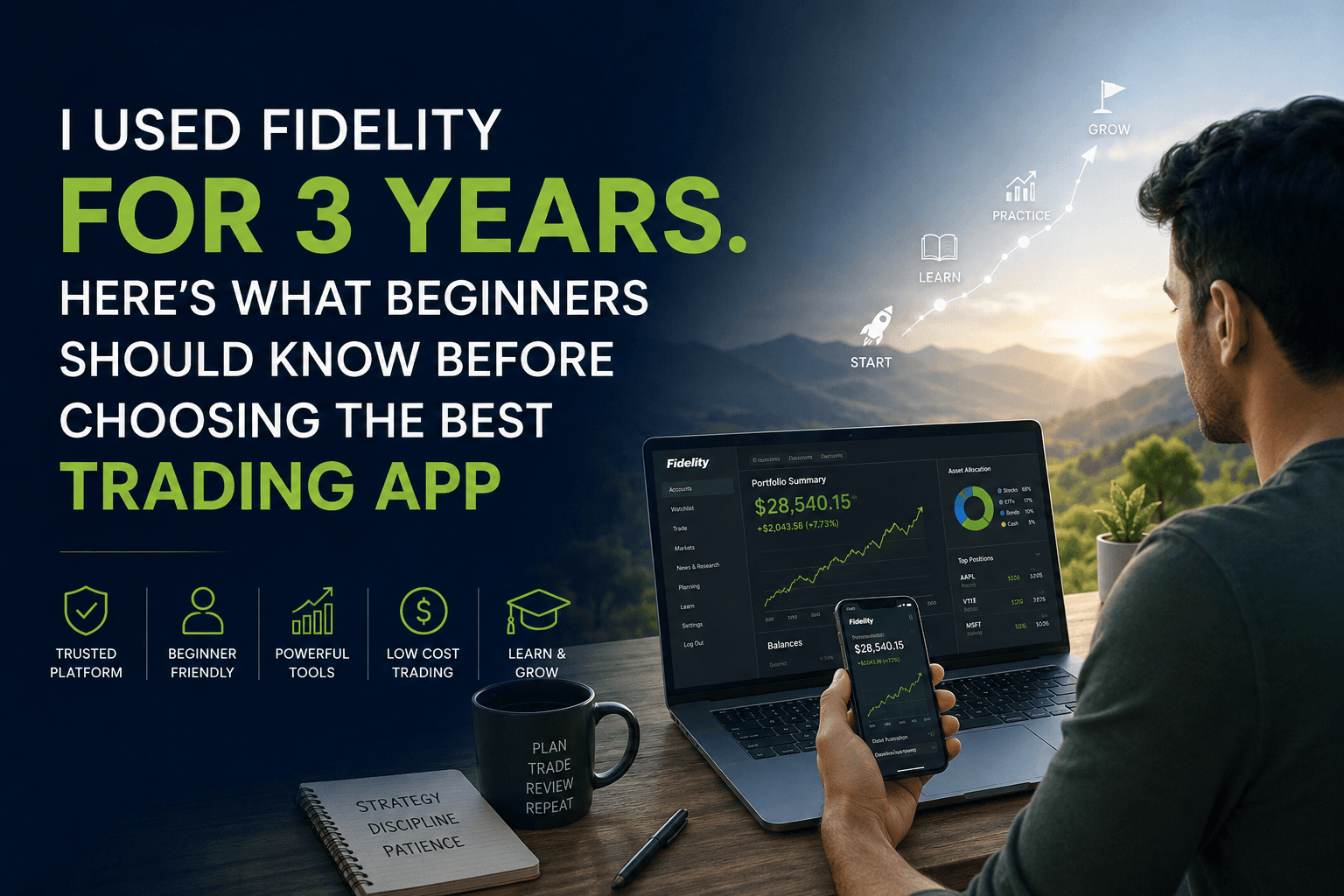
I Used Fidelity for 3 Years. Here’s What Beginners Should Know Before Choosing The Best Trading App
| Quick Answer: A trading app is a mobile or desktop platform that lets you buy and sell stocks, ETFs, and other investments directly from your phone or computer. It gives you market access without a broker on the phone. But picking the wrong one, or using it before you’re ready, can cost real money. |
I am someone who takes financial literature very seriously! One of my primary objectives is to inspire all my young family members into investments from an early age.
But Aarav, my youngest cousin, needed none. He was already reading investment tips from YouTube at 20. However, he could not start trading until he landed a job.
At 25, he got a job and shifted to Dallas. However, when Aarav was 26 and working in Dallas, he grew tired of watching his paycheck sit in a savings account earning almost nothing.
One day, he thought. “Let’s just buy some stocks. I’ve seen it on YouTube. It’s easy.”
He downloaded one that night. Within three weeks, he had put $800 into a penny stock he found on a Reddit thread.
Within two months, that $800 had dropped to $190. I used Fidelity for three years, and I’ve seen versions of this story play out many times with new investors.
So, what did he do wrong? The app was fine. However, his plan wasn’t good.
Best Trading Apps For Beginners (Quick Picks)
If you’re just looking for a quick answer to “what is the best trading app?”, here’s the honest breakdown:
- Best overall for beginners is Fidelity: strong research, long-term focus, and no account minimum
- Best for simplicity is Robinhood: a clean interface, easy to start, but fewer learning tools
- Best for learning and practice is TD Ameritrade (Schwab): excellent paper trading and education
- Best for community-driven investing is Public: you can see what others are investing in and why
However, here’s what most lists won’t tell you: there is no single “best trading app” for everyone.
The right app depends on how you handle money: If you want to learn slowly, choose an app with robust educational resources, such as Fidelity or Schwab.
If you just want to get started quickly, simpler apps like Robinhood work. However, if you’re curious but not confident, use paper trading first
In other words, the best trading app is the one that matches your discipline level, not just its features.
What Is A Trading App And How Does It Work?
Not long ago, if you wanted to invest in stocks, you called a broker. They placed the order.
After that, you paid a commission, sometimes $20 or more per trade. It was slow, expensive, and felt like something only rich people did.
Trading apps changed that. Now your phone is the broker.
These platforms connect directly to the stock market. You:
- Open an account
- Deposit money
- Buy a share of Apple or a piece of an index fund within minutes.
Most of them charge zero commission. Some let you start with as little as $1.
The investments you can access include:
- Individual stocks
- ETFs (funds that hold many stocks at once), and bonds
- Options, or futures
More advanced platforms even allow margin trading. What is margin trading? That’s a topic for later, once you understand the risks.
For now, the key thing to know is this: a trading app is a tool. Like any tool, it works well when you use it correctly and badly when you don’t.
What Beginners Get Wrong About Trading Apps
Do you know what is the biggest misconception? That the app does the work.
It doesn’t. It just makes it faster and cheaper to act on decisions, whether good or bad. The first time Emma, one of my teachers from Ohio, opened Robinhood, she was drawn to the green confetti that popped up when she made her first trade.
Fun, right? Except it made buying feel like a game. She made six trades in a week. Four of them lost money.
The gamification is intentional. These apps are designed to keep you engaged. That’s not a conspiracy, it’s just business. But knowing this helps you stay disciplined.
A few other things beginners often miss:
- “Free” doesn’t mean no cost. Commission-free apps often make money through order flow (a practice explained by the SEC), in which trades are routed to market makers rather than directly to an exchange. It’s legal and regulated by the SEC, but it’s worth understanding.
- More features don’t mean better. A complex app with 40 chart types isn’t helpful if you’re just starting out.
- Paper trading is your best friend. Some apps let you practice with fake money before risking real dollars. Use it.
Best Trading Apps For Beginners, Learning, And Advanced Users (And Which One Fits You)
Not every app is built the same way. Before downloading anything, it helps to know what kind of investor you’re trying to be.
After that, you will be able to select the best trading app for you.
Best Beginner-Friendly Trading Apps
These apps are built for people who’ve never invested before. The interface is clean, the learning curve is manageable, and getting started feels less intimidating.
1. Robinhood
Best For: Absolute beginners
What Beginners Like
- Extremely simple interface
- Fractional shares available
- No account minimum
- Quick account setup
Potential Drawbacks
- Limited research tools
- Less educational content than competitors
- An easy-to-use design can encourage frequent trading
2. Public
Best For: Community-driven learning
What Beginners Like
- Social investing features
- Educational explanations alongside investments
- Fractional shares available
Potential Drawbacks
- Smaller research ecosystem
- Community discussions shouldn’t replace independent research
3. SoFi Invest
Best For: Investors who want banking and investing together
What Beginners Like
- Beginner-friendly interface
- Access to financial planning resources
- Integrates with other SoFi products
Potential Drawbacks
- Research capabilities are more basic than Fidelity or Schwab
Best Trading Apps For Learning
These platforms focus less on excitement and more on helping investors understand what they’re doing.
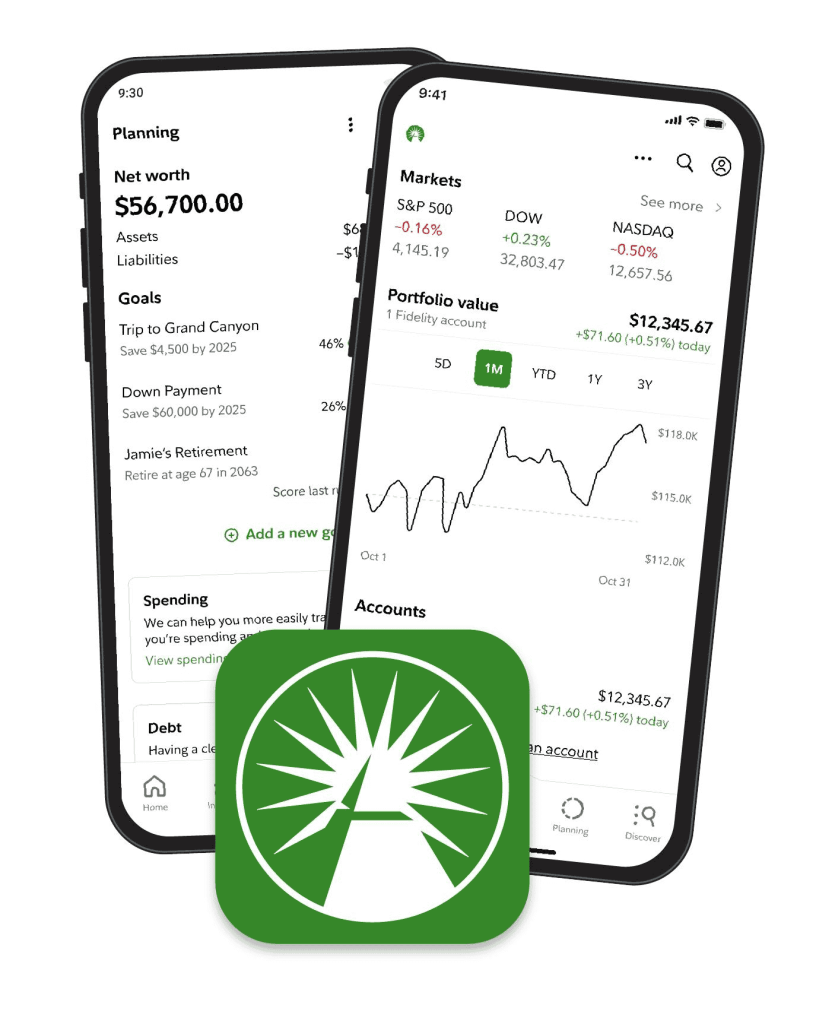
4. Fidelity
Best For: Long-term investors and beginners who want education
What Makes It Stand Out
- Extensive research reports
- Educational articles and webinars
- Strong retirement planning tools
- No account minimum
Many financial advisors recommend Fidelity because it encourages long-term investing rather than active trading.
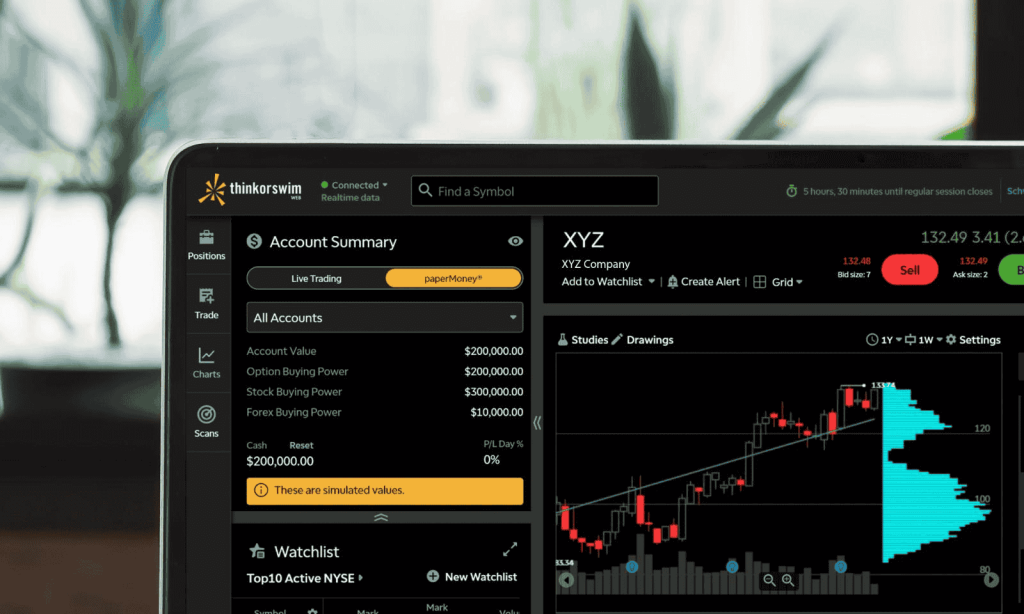
5. TD Ameritrade (now part of Schwab)
Best For: Learning through practice
What Makes It Stand Out
- Free paper trading through thinkorswim
- Advanced charting
- Large educational library
- Excellent market simulators
This is one of the best platforms for investors who want to learn before risking real money.
6. Charles Schwab
Best For: Investors who want strong customer support
What Makes It Stand Out
- Fractional shares available
- Excellent educational content
- Strong research resources
- Responsive support team
Many beginners appreciate having access to guidance when questions arise.
Best Advanced Trading Apps
Once you’ve spent a few years investing and have developed an understanding of concepts like risk management, diversification, and market volatility, you may want more advanced tools.
7. Webull
Best For: Intermediate traders
What Makes It Stand Out
- Advanced charting tools
- Real-time market data
- Active trading features
Potential Drawback
- Can feel overwhelming for complete beginners
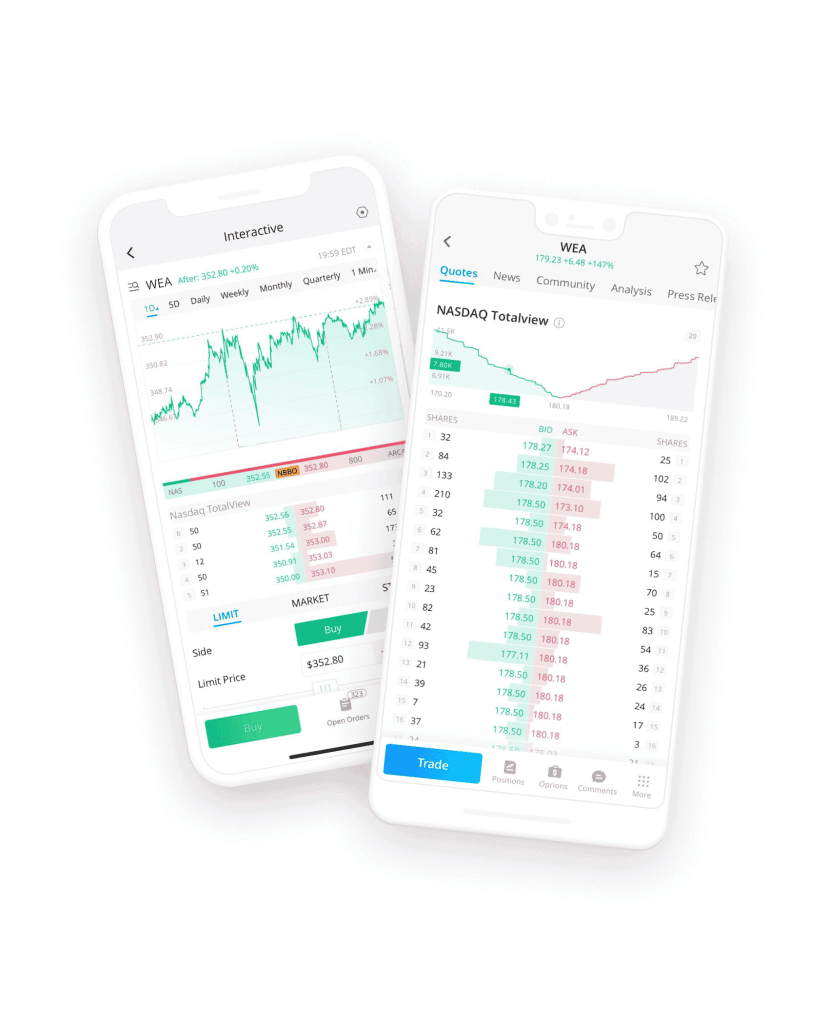
8. Interactive Brokers
Best For: Experienced investors and professionals
What Makes It Stand Out
- Global market access
- Advanced order types
- Professional-grade trading tools
Potential Drawback
- Steeper learning curve
9. Tastytrade
Best For: Options traders
What Makes It Stand Out
- Built specifically for options strategies
- Strong trading analytics
Potential Drawback
- Not ideal for someone buying their first ETF
Quick Comparison: Popular Trading Apps At A Glance
Before opening an account, compare more than just fees. Research quality, educational resources, and mobile usability can have a much bigger impact on your investing experience than saving a few dollars in commissions.
| App | Best For | Account Minimum | Stock/ETF Commission | Mobile App Rating* | Research & Education |
|---|---|---|---|---|---|
| Robinhood | Absolute Beginners | $0 | $0 | ★★★★☆ | Basic |
| Fidelity | Long-Term Investors | $0 | $0 | ★★★★★ | Excellent |
| Charles Schwab | Learning & Support | $0 | $0 | ★★★★☆ | Excellent |
| TD Ameritrade (Schwab) | Paper Trading | $0 | $0 | ★★★★☆ | Excellent |
| Webull | Active Traders | $0 | $0 | ★★★★☆ | Good |
| Public | Community Learning | $0 | $0 | ★★★★☆ | Moderate |
| Interactive Brokers | Advanced Investors | $0 | Low-Cost | ★★★★☆ | Very Good |
*Mobile ratings are generalized observations based on app-store reviews and user feedback and may change over time.
How We Evaluated These Trading Apps?
Choosing a trading app isn’t just about finding the lowest fees. For beginners, the platform should help you learn, avoid common mistakes, and stay invested for the long term.
We compared the apps in this guide using the following criteria:
Account Minimums
We looked at how much money you need to start investing. Platforms with a $0 minimum score are more accessible.
Fees and Commissions
We reviewed stock and ETF commissions, as well as any notable charges for options, margin, currency conversion, or premium features.
Educational Resources
We prioritized apps that offer tutorials, articles, webinars, and beginner-friendly learning tools.
Research Tools
We considered access to company data, analyst reports, screeners, market news, and portfolio analysis features.
Since many beginners primarily invest on their phones, we assessed usability, navigation, and overall app store feedback.
Beginner Safety Features
We gave extra weight to features such as paper trading, educational prompts, risk disclosures, and straightforward account management.
We did not rank apps based on short-term trading excitement, social-media popularity, or promises of fast profits. The goal was to identify platforms that can help a new investor build good habits, not just make trades quickly.
Note: Features, fees, and app ratings change over time. Always verify the latest information directly on the broker’s official website before opening an account.
Which Trading App Is Best For You?
| If You Want To… | Consider |
|---|---|
| Start investing with the least complexity | Robinhood |
| Learn investing properly | Fidelity |
| Practice before risking real money | TD Ameritrade (thinkorswim) |
| Get strong customer support | Charles Schwab |
| Use advanced charts | Webull |
| Trade internationally | Interactive Brokers |
| Learn from a community | Public |
Important: Features, fees, and ratings change regularly. Always verify information directly on the broker’s official website before opening an account.
Before You Download, Understand What You’re Investing In
This is the part most beginner guides skip. And it’s the most important part. There’s a big difference between investing and speculating. Even though both happen on the same app.
Investing means putting money into something with a reasonable expectation that it will grow over time. Think index funds or blue-chip stocks held for years.
Speculating means betting that something will jump in price quickly. Even though there’s no guarantee and often no fundamental reason for it to do so.
Think penny stocks, meme stocks, or single-company bets based on social media tips.
Neither is illegal. But beginners tend to do a lot of speculating while thinking they’re investing. Here’s how they differ in practice:
| Feature | Speculative (e.g. Penny stocks) | Steady (e.g. Index ETFs) |
|---|---|---|
| Risk level | Very high | Low to moderate |
| Return potential | Could be huge, or zero | Slow, consistent growth |
| Time needed | Daily attention | Set-and-forget works fine |
| Best for | Experienced risk-takers | Beginners and long-term savers |
| Emotional stress | Very high | Much lower |
Most financial advisors, and even legendary investors like Warren Buffett, suggest that new investors begin with broad index ETFs.
You can learn more about how to start investing wisely here.
Pros And Cons Of Using A Trading App
If you are using a trading app, you will hit some major roadblocks. What matters is how each app shapes the beginner experience:
What Works in Your Favor
- Low barrier to entry. So start with $1 on many platforms
- Commission-free trades on the most popular apps
- Access to real-time data and market news
- Fractional shares let you invest in expensive stocks with small amounts
- Many apps offer free educational content for beginners
What Can Work Against You
- Easy access can lead to impulsive decisions
- Gamified design encourages overtrading
- Without a plan, you’re guessing, not investing
- Customer support can be slow or limited on budget apps
- Advanced features can confuse new users and lead to costly mistakes
Should Beginners Use Trading Apps?
Yes, but not without a plan.
The app itself is not the problem. The problem is jumping in before you understand what you’re doing.
Here’s the honest version: if you download an app tomorrow without any framework, you will probably lose some money on your first few trades.
That’s not a prediction. Long-term studies, including reports from SPIVA and Dalbar, have consistently shown that frequent retail traders tend to underperform the broader market.
Start with the educational content inside the app. Use paper trading if available. Begin with a broad ETF instead of a single stock. And most importantly, resist the urge to check prices every hour.
Pro Tip: If someone online is telling you a stock is about to “explode,” that’s almost always speculative noise, not research.
A Simple Framework: How To Start Without Getting Burned
Before you buy anything, work through these four steps:
1. Build Your Base First.
Make sure you have 3–6 months of expenses saved in cash before investing anything. This isn’t exciting, but it protects you from having to sell investments at a loss during an emergency.
2. Define Your Risk Limit.
Decide upfront how much money you’re willing to lose entirely. Invest only that amount to start. If losing it would hurt your rent or bills, it’s too much.
3. Start With Index Funds.
Pick a broad market ETF. These funds track the S&P 500 or the total market, giving you exposure to hundreds of companies at once.
Also Read: What Is S&P 500?
- Buy it.
- Don’t touch it for six months.
- Watch how the market moves.
- Learn from that.
4. Review, Don’t React.
After a few months, look at what happened. Read about why markets moved the way they did. After that, you can consider expanding into individual stocks or other instruments.
This is not a framework that guarantees high payout. However, this framework is designed to help you minimise risk. As a beginner, safety is your primary priority. In addition, these steps help you build a sustainable investment profile.
You’ll see gradual growth over time instead of dramatic short-term gains. As you gain experience and know the market, you can place bigger bets.
Key Takeaways
- Trading apps make investing accessible so that you can learn the basics fast and grow your investing skills
- The best app for you is the one that matches your goals, not the one with the most features
- Beginners should start with ETFs, not individual stocks or penny stocks
- Use paper trading to practice before putting real money in
- Have a plan before you download. The app won’t make that decision for you
- Speculating and investing are different things, even when done on the same app
Frequently Asked Questions
In search for the best trading app to learn trading as a beginner, here are the most common queries that people post on search engines:
What Is The Best Trading App For A Complete Beginner In The Us?
Fidelity and Robinhood are consistently recommended for beginners. Fidelity is better if you want research and education.
Robinhood is better if you want the simplest possible experience. Both are free to use and require no minimum balance to open an account.
Can I Lose All My Money On A Trading App?
Yes, you can. Especially if you put everything into a single stock or speculative asset. This is why most advisors recommend starting with diversified index ETFs.
They spread your money across hundreds of companies, so one bad company doesn’t wipe you out.
Do Trading Apps Charge Fees?
Most popular apps charge no commission on standard stock or ETF trades.
However, they may charge for options trades, currency conversions, or premium account features. Always read the fee schedule before you open an account.
Is It Safe To Link My Bank Account To A Trading App?
Reputable, US-regulated apps are generally safe. Look for apps that are SIPC (Securities Investor Protection Corporation) members, which protect up to $500,000 of your investments if the brokerage fails.
The SEC also oversees these platforms, which means they must follow strict rules about how they handle your money.
What Is Paper Trading, And Should I Use It?
Paper trading means practising with fake money in a simulated market. TD Ameritrade (via thinkorswim) offers one of the best paper trading tools available for free.
It’s an excellent way to understand how orders work, how prices move, and whether your strategy holds up, all without risking real money.
How Much Money Do I Need To Start Investing?
Technically, as little as $1 on some apps with fractional shares. But practically speaking, starting with at least $100–$500 gives you enough to meaningfully diversify and observe how a small portfolio behaves over time.
More importantly, focus on investing consistently rather than the amount, even $25 a month adds up over the years.
What’s The Difference Between A Trading App And A Financial Advisor?
A trading app is a tool for executing your own investment decisions. A financial advisor is a professional who helps you develop a strategy aligned with your goals, income, and risk tolerance.
Apps are cheaper and more flexible. However, the advisors provide personalized guidance. To sum up, many people prefer using the best trading app for day-to-day investing and an advisor for long-term planning.
Key Note: The best trading app isn’t the one with the most features. It’s the one that keeps you disciplined when it matters most.
Share this article: