- What Are The Main Steps For Using Whoer IP?
- 1. Open The Whoer IP Website
- 2. Go Through Your IP Address
- 3. Explore Additional Information
- 4. Additional Tools And Insights
- 1. DNS Leak Test:
- 2. WebRTC Test:
- 3. Browser Fingerprint:
- 5. Take Action for Privacy and Security
- Why Choose A VPN?
- Things To Remember About Whoer IP
How To Use Whoer IP To Check Your IP Address And Improve Online Privacy?
Knowing your IP address is essential for various online activities. Moreover, this helps protect your privacy and security.
Furthermore, knowing the IP address also helps with accessing region-specific data.
Whoer IP serves as a powerful tool that allows you to view your IP address and access crucial information regarding your activity and presence online.
Thanks to Multilogin and other modern solutions, you can now manage your multiple browser identities without disclosing your IP address.
In the article, we will discuss the process of using Whoer IP and its attributes
What Are The Main Steps For Using Whoer IP?
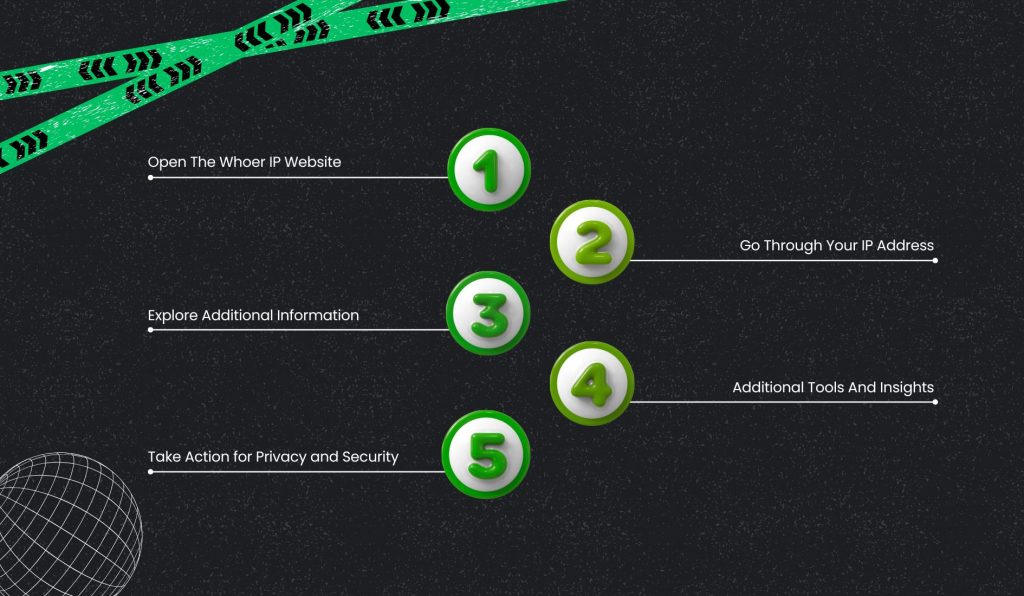
Here is a step-by-step guide for using Whoer IP. Following these steps will help you to do things successfully.
1. Open The Whoer IP Website
Open the browser on your computer or mobile device. Alternatively, you can also use other browsers such as Chrome, Firefox, Edge, or Safari.
Then, click on the address bar located at the top of the browser. Try typing the website address carefully into the address bar.
Then press the Enter key to load the website. The browser opens the Whoer IP website on your screen.
This website displays information about your internet connection. You can see information like your IP address, location, and even browser information.
2. Go Through Your IP Address
The screen clearly displays the IP address after the Whoer IP website loads.
The system places this information at the top of the site. Your IP address works like a unique number allotted to your device on the internet.
Providers of internet services supply this number whenever you go online.
The website uses this address to recognize and interact with your device. Sometimes, an IP address may reveal general location information and provider details.
Hence, knowing this information helps you make sense of your digital presence and your right to privacy.
3. Explore Additional Information
Whoer IP has more information about your internet connection than just your IP address. So, it knows everything about your digital or online presence.
The website provides an approximation of your location depending on your Internet Protocol address. It shows your country, your city, and a map view of your location.
The above information may not be entirely correct. It also displays your Internet Service Provider details.
You can see whether your connection is mobile or home. Whoer IP displays the hostname associated with the given IP address.
The hostname is frequently part of your internet provider’s domain.
Finally, the website indicates the Autonomous System Number for your network. This number identifies the organization that manages your IP range.
Hence, Whoer IP checks whether you’re using a proxy server with your internet connection.
Where user proxy status can provide information, it is helpful to understand the levels of privacy and security
This data is helpful in letting users know how websites view their internet connections.
4. Additional Tools And Insights
Apart from the check of your IP address and information connected with it, there are some other tools and pieces of information that may be helpful for you in Whoer IP to make your experience online more comfortable:
Detection Of Proxy Or VPN: Whoer IP is able to detect if you’re using a VPN, or Virtual Private Network, or proxy server. This helps people who have privacy and anonymity concerns with browsers.
1. DNS Leak Test:
DNS leak would reveal your entire browsing history, hence compromising your privacy. Whoer IP provides a DNS leak test to check if DNS queries are disclosed or not.
2. WebRTC Test:
WebRTC can also leak your IP address, potentially revealing your real location. You should check the WebRTC leaks with the help of Whoer IP.
3. Browser Fingerprint:
Whoer IP gives the ability to analyze a fingerprint of your browser, which already includes a set of attributes for the unique identification of the device. This information can be used to assess your online privacy.
5. Take Action for Privacy and Security
On the basis of your IP information, measures can be taken to ensure online privacy. A trusted VPN service will help hide your actual IP from websites.
As a result, VPNs help provide security and enhance anonymity when surfing the internet.
Persons concerned about tracking should mask their IP address frequently. You can also use an ISP proxy network for extra protection.
Additionally, browser settings provide options for limiting information sharing and location access. Removing unnecessary permissions can minimize the leakage of information.
Therefore, these actions make online security effective and protect personal information accordingly.
Why Choose A VPN?
VPN helps the user surf the net safely with no restrictions. This allows access to global websites without any restrictions on bandwidth or speed.
Users appreciate the speed and reliability of the connection for streaming and downloading.
The service secures the privacy of users while preventing tracking or online monitoring.
- With a VPN, you can access global websites freely, with no limits in terms of bandwidth or speed. It eliminates geographic location obstacles and facilitates browsing smoothly.
- VPN offers a secure, stable, and fast internet connection. It prevents the tracking and monitoring of users during their online activities.
- These servers span across many countries globally. This access enables the users to possess greater selection and greater flexibility.
- It also keeps IP addresses secret from advertisers, hackers, and government agencies. Hence, this feature provides privacy and online anonymity.
- VPN can be used with phones, computers, and smart TVs easily. It supports Apple TV and Android TV for secure connections.
- VPN service offers average speeds above 700 mbps. Such a speed allows for a smooth browsing experience.
Things To Remember About Whoer IP
Whoer IP helps users check their IP address and understand their online presence clearly. It shows location, ISP, and network details for better awareness.
Hence, this information helps users make smart choices about privacy and security.
Whoer IP tools support safer browsing and stronger control over digital identity. Understanding data protection rules also matters for organizations.
Healthcare businesses must follow HIPAA rules to protect patient information.
HIPAA compliance helps prevent data leaks and legal issues. Thus, awareness and compliance together support safer digital environments.
Share this article: